How to use the App
Master the EDL app with these simple video guides and tutorials.
01Full App Overview

Scroll through the full features of the EDL App
02Change Exam Language
Open Settings
Tap the gear icon (⚙️) located at the top of the main screen to enter the Settings Page.
Select Language
Find and click the Language button. Choose your preferred language: Amharic (አማርኛ) or Afaan Oromoo.
Instant Update
The exam categories and all 3,000+ questions will instantly update to your chosen language.
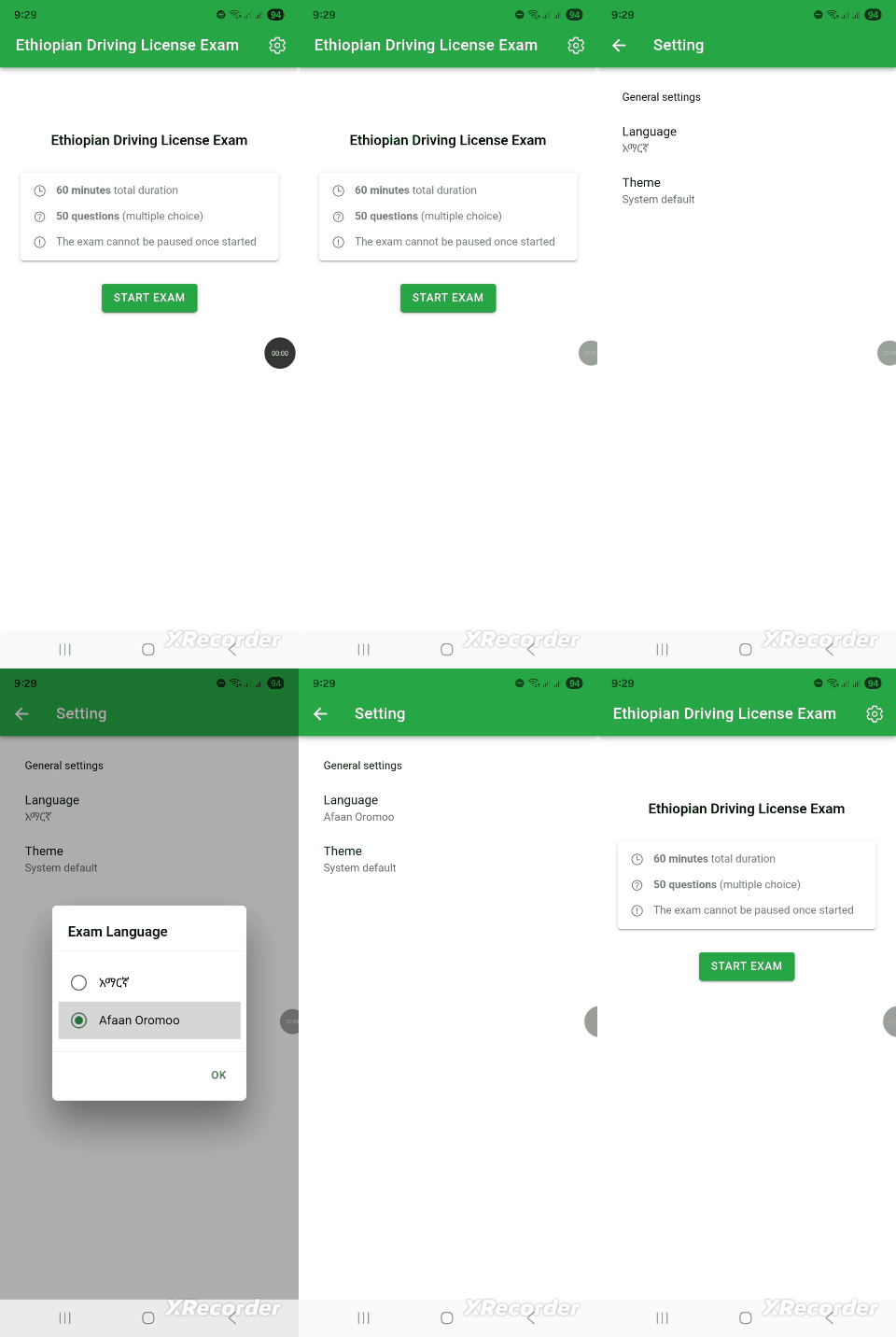
Language Settings Demo
03Customize Exam Behavior
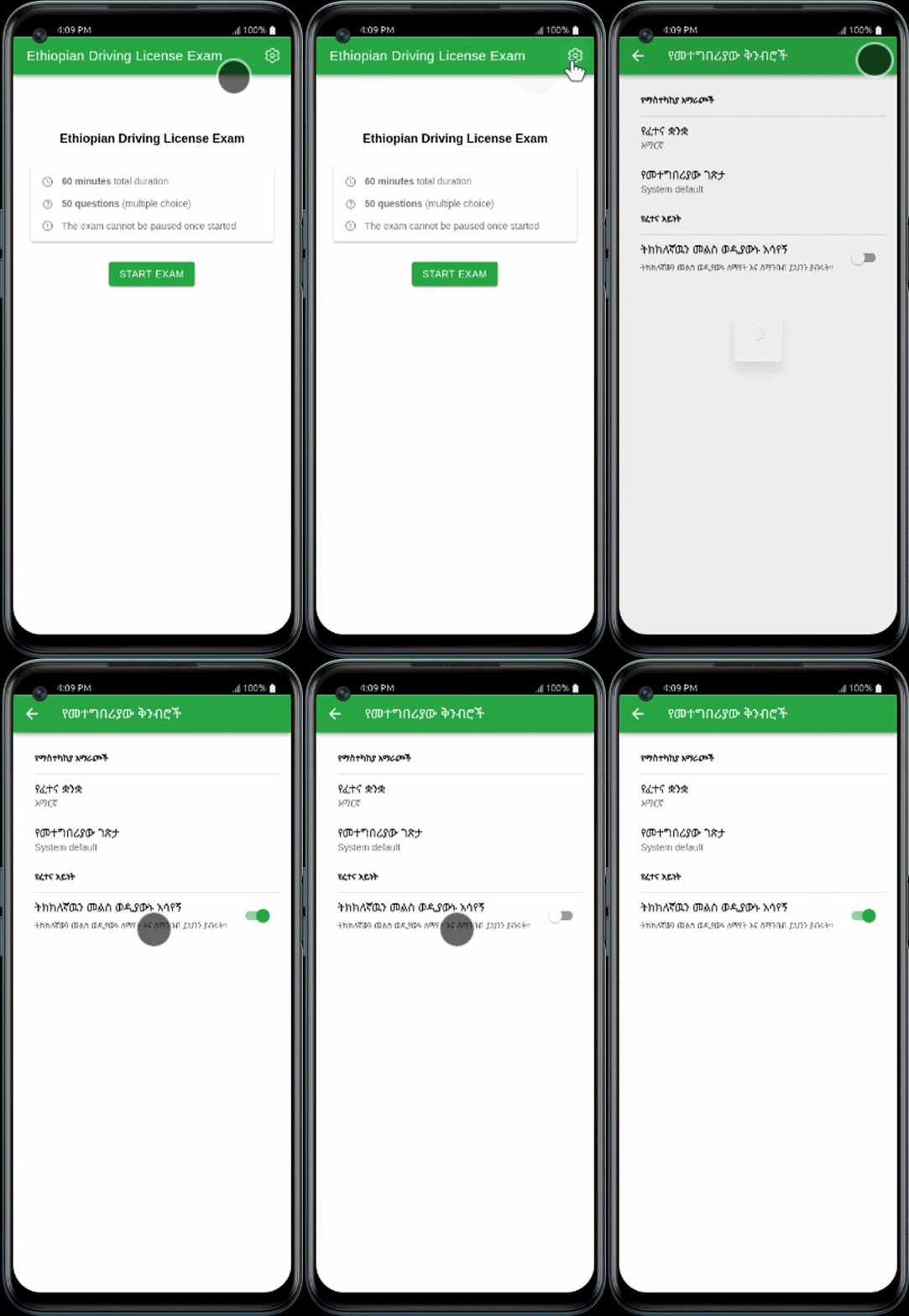
Access Preferences
From the Settings Page, scroll down to the Exam Behavior section.
Toggle Feedback Mode
Choose Show Answer Instantly for learning, or Submit at End to simulate the real driving license exam.
Save & Start
Your choice is saved automatically. Head back to the home screen and start a category to test your new settings.
Frequently Asked Questions
Can I use the app offline?
Yes, once the questions are loaded, you can practice without an active internet connection.
Are the questions up to date?
We regularly update the 3,000+ question bank to align with current Ethiopian transport regulations.